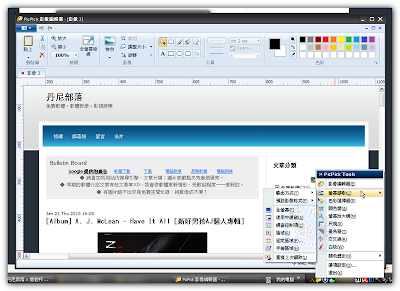
螢幕擷取軟體不稀奇,PicPick 還包含了尺規、量角器、挑色器等方便實用的小工具,他還擁有自己的圖像編輯器,拍完圖直接做影像處理,軟體內建繁體中文語系,如果缺少一套適合的截圖軟體,可以試試看這套。
官網:http://picpick.wiziple.net/
dannyboy 發表在
痞客邦
留言(0)
人氣()

雖然內建的小畫家有時候也滿管用的,而且我們也看過許多神人用小畫家繪出栩栩如生的圖畫 (例如說畫出蒙娜麗莎:
觀看),但我們跟小畫家不熟的人往往必須借助 Photoshop 或是 PhotoImpact 這類比較簡易操作、但卻十分巨大的繪圖軟體來完成畫作,但偏偏那些巨大的軟體都是要付費的,所以通常大家都是用 Pirate 版的。(Dan)但基於許多原因不想用 Pirate 版,又不想用難懂的小畫家的,就能考慮看看這款軟體了,它有許多功能與專業繪圖軟體很相似,而且又是攜帶版的不用安裝,因此你還能把它塞進隨身碟方便使用。(Dan)
dannyboy 發表在
痞客邦
留言(0)
人氣()

SketchUp 是強大的 Google 推出的 3D 繪圖軟體,相信在設計上能給許多人帶來方便,至少不用總是在平面的紙上構想,不過像我一樣沒有繪圖軟體基礎的話(上面的圖是亂畫的),應該還要學一學才能用的上手吧,SketchUp 也有專業版的,只是必須付費購買就是了。
dannyboy 發表在
痞客邦
留言(3)
人氣()
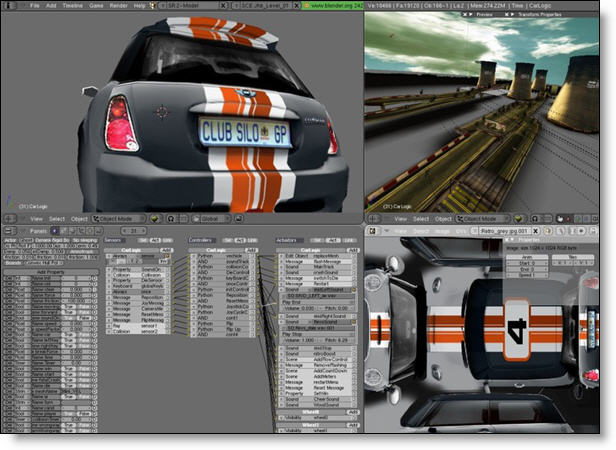
Blender 是款免費的 3D 繪圖、動畫製作軟體,如果不想花錢買昂貴的製圖軟體,也不想用盜版的話(當然本來就不該盜版了),能試用 Blender 看看。
官方網站:http://www.blender.org/
此版本 Release Note
dannyboy 發表在
痞客邦
留言(0)
人氣()
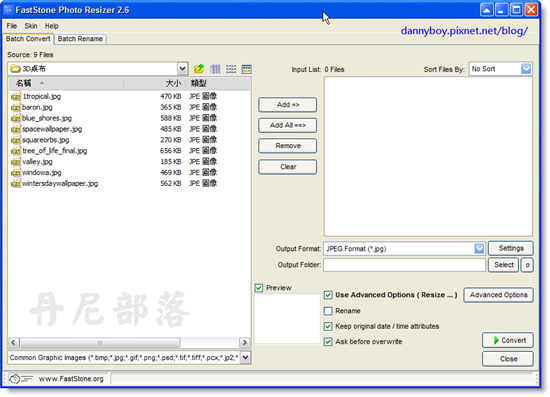
一開啟軟體就能看到最常用的圖片處理功能(轉換格式、批次重新命名),需要批次調整大小也可從進階選項 [Advanced Options] 內做設定(還有旋轉、浮水印、剪裁、邊框等批次功能),接著只要按下 Convert 按鍵即可,非常容易。
官方網站:http://www.faststone.org/FSResizerDetail.htm
dannyboy 發表在
痞客邦
留言(0)
人氣()
官方網站:
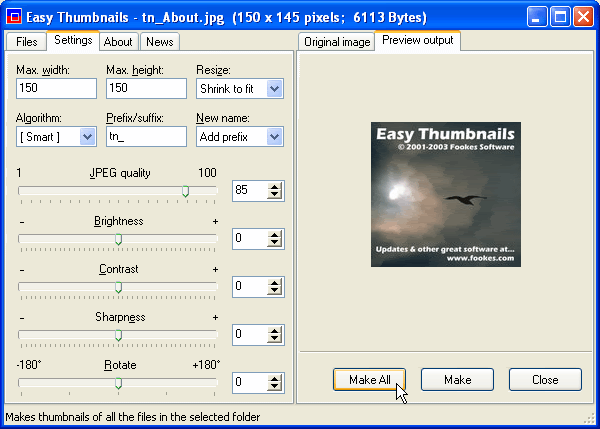
http://www.fookes.com/ezthumbs/index.phpEasy Thumbnails is a popular free utility for creating accurate thumbnail images and scaled-down/up copies from a wide range of popular picture formats. An elegant interface makes it a snap to find your images and select them for processing individually, in groups, or in whole folders, using a simple file selector and built-in image viewer. You can use slider controls to rotate images and adjust their contrast, brightness, sharpness and quality, and check out the results with the built-in viewer.
Key Features
Scale images up or down in batches Eleven resampling filters, including Lanczos3 Sharpen soft images from digital cameras Real-time preview of target image Supports the new JPEG 2000 image format Preserves EXIF data in JPEG images Supports lossless JPEG rotation Free software producing quality results Thumbnails can be created in any existing folder or a new folder, and you can identify them clearly by adding a prefix or suffix to their filename. If you're an image-processing enthusiast, you'll enjoy having a choice of eleven resampling filters for the best possible results. You can convert small batches of images inside Windows Explorer from the File menu or with a right-click of the mouse, display thumbnails in your browser, and even take advantage of command-line switches to generate thumbnails seamlessly from other programs. You can also save your thumbnails to a Web page using a HTML template that you can easily customize to create your own layouts, and there's helpful documentation that includes full instructions and some useful tips.
Supported Image FormatsJPEG (*.jpg;*.jpeg;*.jpe;*.jps) JPEG 2000 (*.jpc;*.j2k;*.jp2) Portable Bitmap (*.pbm; *.pgm; *.ppm) CompuServe Graphics Interchange (*.gif) Portable Network Graphics (*.png) Tagged Image File Format (*.tif;*.tiff;*.fax) Truevision Targa (*.tga;*.targa;*.vda;*.vst) Windows Enhanced Meta File (*.emf) Windows Icon File (*.ico) Windows Meta File (*.wmf) Windows or OS/2 Bitmap (*.bmp;*.dib;*.rle) Wireless Bitmap images (*.wbmp) Zsoft PC Paintbrush (*.pcx) 以上內容引自官方網站。
這套軟體雖然沒有很多縮圖的額外功能,
但是其所包含的基本功能其實就已經足夠一般的使用了,
我個人喜歡它的
簡單分頁式視窗,
還有能夠
預覽縮圖的對比視窗,
能夠將其他不同格式存成常見的jpg格式也很方便,
當然最好的、也是他的特點就是:能夠
批次縮圖。
Download Here
dannyboy 發表在
痞客邦
留言(0)
人氣()
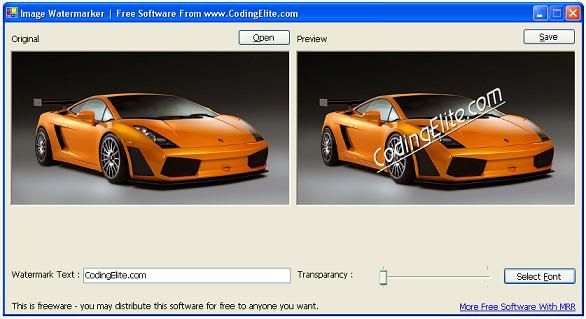
為何推薦這款軟體呢?主要是因為:他體積真的很小,只佔6.37MB,還不需安裝。
官方網站:http://www.codingelite.com/tools/ImageWaterMarker.htm
dannyboy 發表在
痞客邦
留言(0)
人氣()



