free image hosting
情境:
當我們的文件中含有可能別台電腦的字型、或是根本可能別台電腦跟沒有能開啟這類檔案格式的軟體時,要怎麼在另外一台電腦開啟這分文件或列印呢?
需要的人:
文件有精美字型或設計,想跟大家炫耀分享,但怕別台電腦不能順利瀏覽的人;
身邊沒有印表機,需要將特殊檔案格式拿到輸出店列印的人;
想將一系列蒐集來的資料全轉為同一種格式方便蒐藏和瀏覽的人。

dannyboy 發表在 痞客邦 留言(0) 人氣()

Photobucket

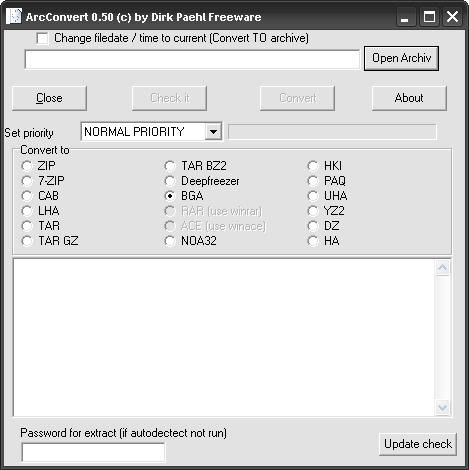
我叫他格式轉換,當然不是改改副檔名而已囉,
應該是類似解開重壓縮的技術吧,
如果有需要比較各種壓縮檔的壓縮效果、壓縮比、壓縮檔大小,
這款軟體能輕易做到,如果轉換結果變比較小,
還會提醒你是否刪掉原本較大的檔案。

dannyboy 發表在 痞客邦 留言(0) 人氣()

Photobucket
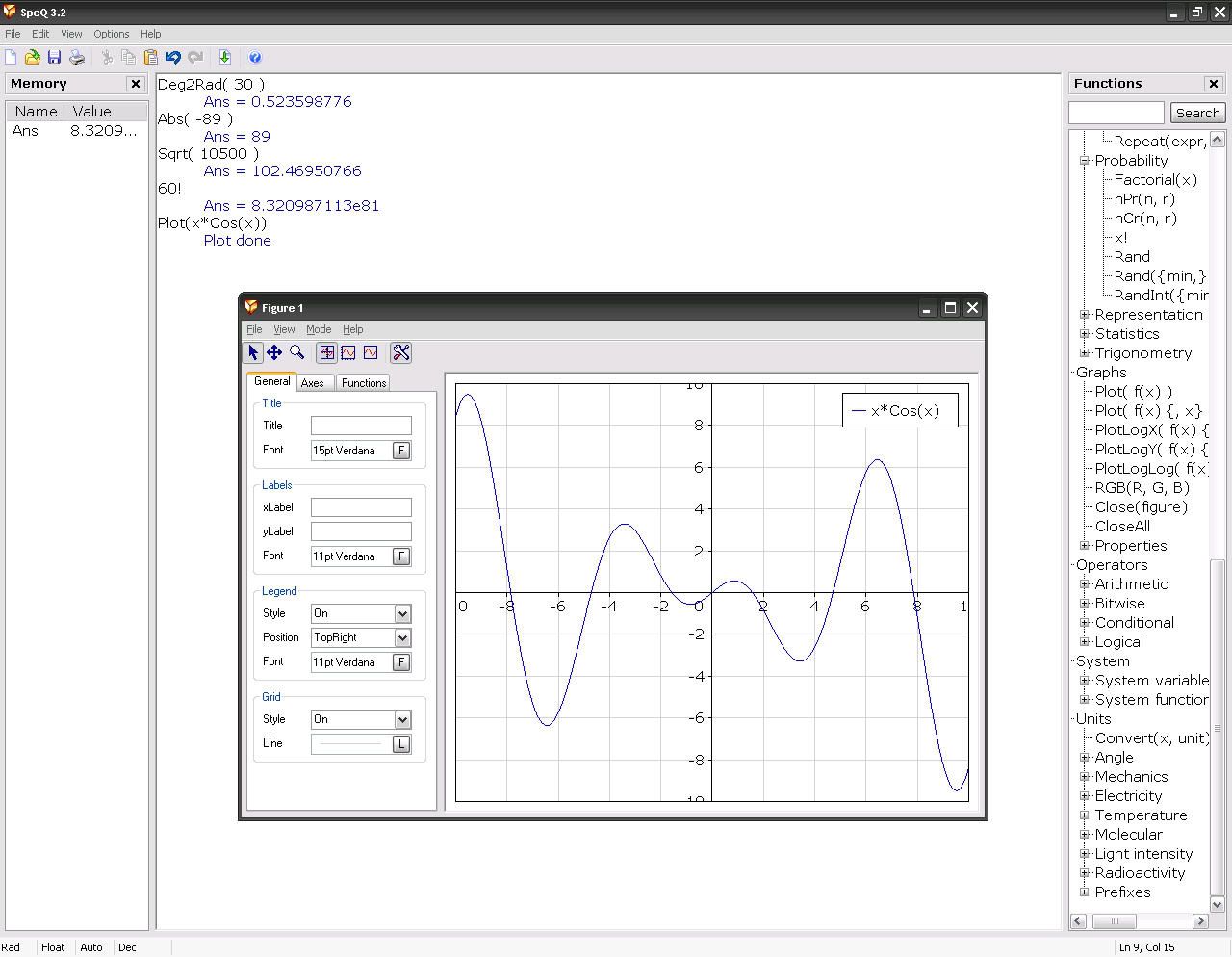
小巧的數學運算軟體,指令或排版不像Mathematica之類的專業軟體人性化,功能也遠遠不及巨型運算軟體,但他的優點是體積小可使用免安裝版本
官方網站:http://www.speqmath.com/index.php?id=1
官方介紹:
SpeQ is a small, extensive mathematics program with a simple, intuitive interface. All calculations are entered in a sheet. In there you can freely add, edit and execute all calculations. You can define variables and functions, and plot graphs of your functions. You can save your calculations for later re-use.
SpeQ is written to be an advanced but very easy to use math program. It is small and fast and runs on every Windows computer, also from an USB-key or floppy disk. SpeQ is useful for simple, brief calculations as well as working out sheets with extensive variable definitions, functions and complex calculations.
SpeQ is usable for engineers, students and pupils or simply as replacement of the Windows Calculator. 
SpeQ has the following features
Expression calculations with arithmetic, conditional, logical and bitwise operators
Around 100 built-in mathematical, physical and conditional constants
Around 60 built-in functions for Analysis, Arithmetic, Complex numbers, Hyperbolic, Integers, Logical, Probability, Numeral systems, Statistics, Trigonometry
Define your own variables and functions for use in calculations
Plot fully adaptable graphs, trace the plotted functions, save your graphs
Extensive support for units
Decimal, binary, hexadecimal and octal numeral systems
Calculations with lists
Complex number calculations
Colored workarea
Save and load sheets
Orderly overview of all available functions and constants in the Functionstree
A list with all defined variables and functions in the Memorylist
Context-sensitive help and a detailed users guide 
Download Here:
官方安裝版
官方免安裝版

dannyboy 發表在 痞客邦 留言(0) 人氣()

http://i167.photobucket.com/albums/u136/eternity0615/EMBED_PIX/TomahawkPDFv295.jpg
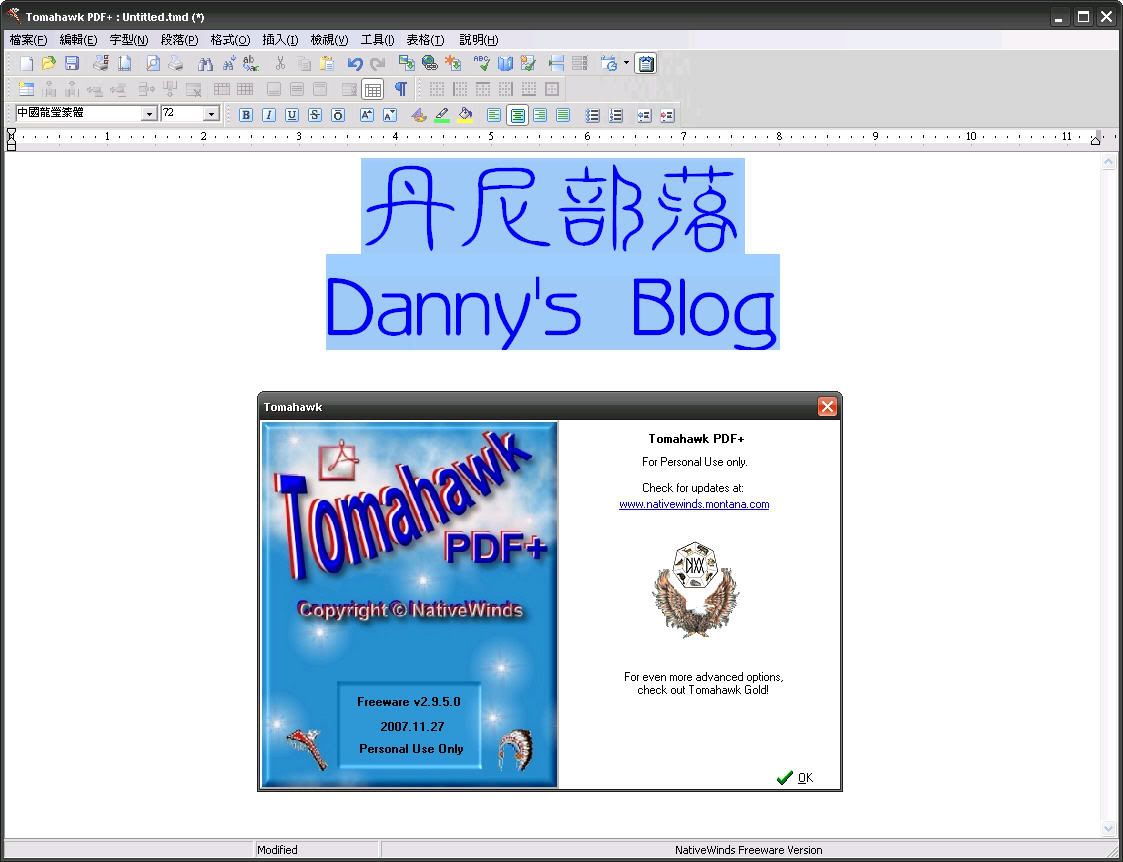
之前介紹過PDF檔列印軟體([Freeware] CutePDF Writer 2.7 - 將檔案列印成PDF),這次這款也是大同小異,只是這款多了可編輯的功能,編輯完依然能轉成PDF檔喔,也能存成txt或html檔。
官方網站:http://nativewinds.montana.com/software/tpdfplus.html
至於介紹嘛… 感覺他就像個小型MS Office再加上PDF Creater囉,
別以為我偷懶,官方也沒介紹到什麼…
Download Here:
官方下載

dannyboy 發表在 痞客邦 留言(0) 人氣()

Photo Sharing and Video Hosting at Photobucket
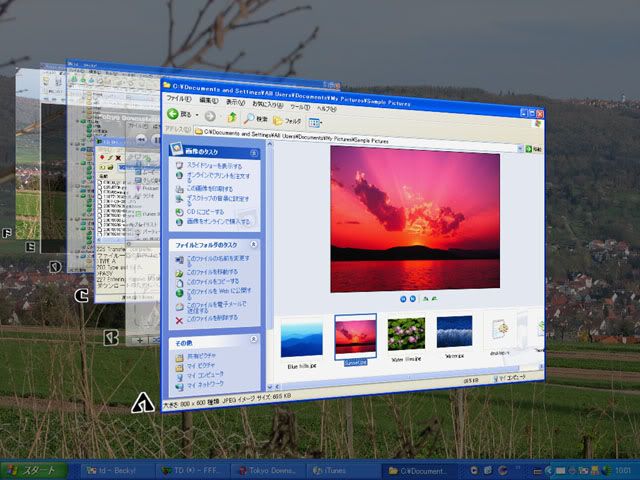
哈哈,這種又虛榮又不佔資源的小玩意偶爾也是挺吸引我的。
(預覽圖就將就一點用官網的囉~)
這應該不用再多作解釋了,
就是個虛榮小軟體囉,
讓畫面更美觀一點囉。

dannyboy 發表在 痞客邦 留言(0) 人氣()

Photo Sharing and Video Hosting at Photobucket

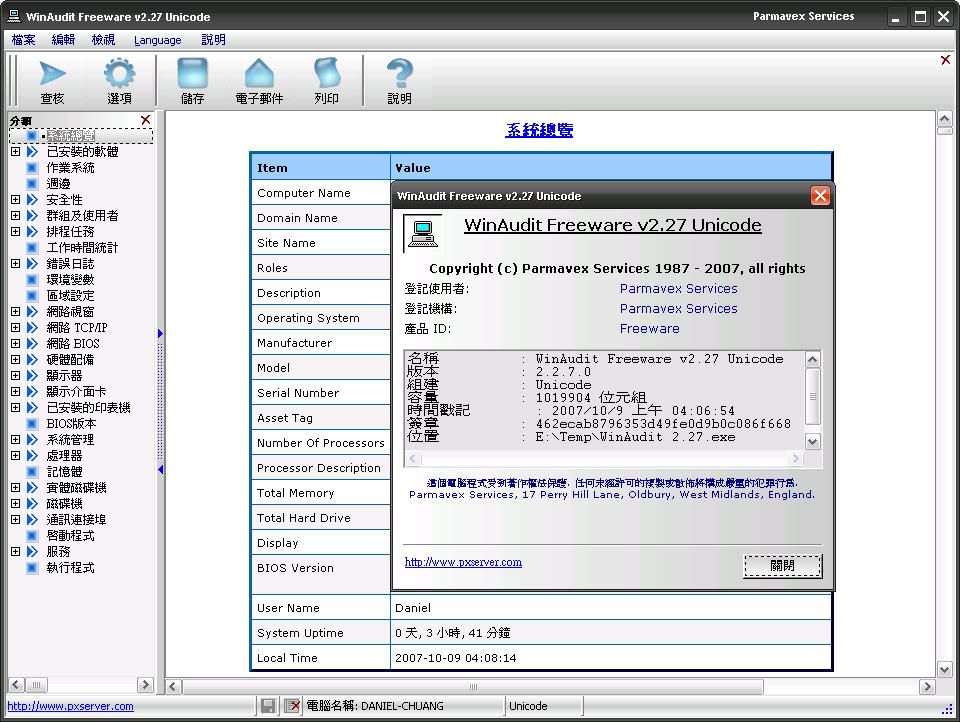
這個神奇的軟體能幫你查出電腦一堆軟硬體的資料,讓你的電腦的資訊無所遁形。這軟體不需要安裝,所以有興趣的朋友不妨直接下載來試用看看,第一次運行之後你就會發現自己其實很不瞭解這台電腦XD。

官方網站:http://www.pxserver.com/WinAudit.htm

dannyboy 發表在 痞客邦 留言(0) 人氣()

Photo Sharing and Video Hosting at Photobucket

官方網站:http://www.fookes.com/ezthumbs/index.php
Easy Thumbnails is a popular free utility for creating accurate thumbnail images and scaled-down/up copies from a wide range of popular picture formats. An elegant interface makes it a snap to find your images and select them for processing individually, in groups, or in whole folders, using a simple file selector and built-in image viewer. You can use slider controls to rotate images and adjust their contrast, brightness, sharpness and quality, and check out the results with the built-in viewer. 
Key Features
  • Scale images up or down in batches
  • Eleven resampling filters, including Lanczos3
  • Sharpen soft images from digital cameras
  • Real-time preview of target image
  • Supports the new JPEG 2000 image format
  • Preserves EXIF data in JPEG images
  • Supports lossless JPEG rotation
  • Free software producing quality results
  • Thumbnails can be created in any existing folder or a new folder, and you can identify them clearly by adding a prefix or suffix to their filename. If you're an image-processing enthusiast, you'll enjoy having a choice of eleven resampling filters for the best possible results. You can convert small batches of images inside Windows Explorer from the File menu or with a right-click of the mouse, display thumbnails in your browser, and even take advantage of command-line switches to generate thumbnails seamlessly from other programs. You can also save your thumbnails to a Web page using a HTML template that you can easily customize to create your own layouts, and there's helpful documentation that includes full instructions and some useful tips. 

    Supported Image Formats
  • JPEG (*.jpg;*.jpeg;*.jpe;*.jps)
  • JPEG 2000 (*.jpc;*.j2k;*.jp2)
  • Portable Bitmap (*.pbm; *.pgm; *.ppm)
  • CompuServe Graphics Interchange (*.gif)
  • Portable Network Graphics (*.png)
  • Tagged Image File Format (*.tif;*.tiff;*.fax)
  • Truevision Targa (*.tga;*.targa;*.vda;*.vst)
  • Windows Enhanced Meta File (*.emf)
  • Windows Icon File (*.ico)
  • Windows Meta File (*.wmf)
  • Windows or OS/2 Bitmap (*.bmp;*.dib;*.rle)
  • Wireless Bitmap images (*.wbmp)
  • Zsoft PC Paintbrush (*.pcx)
  • 以上內容引自官方網站。
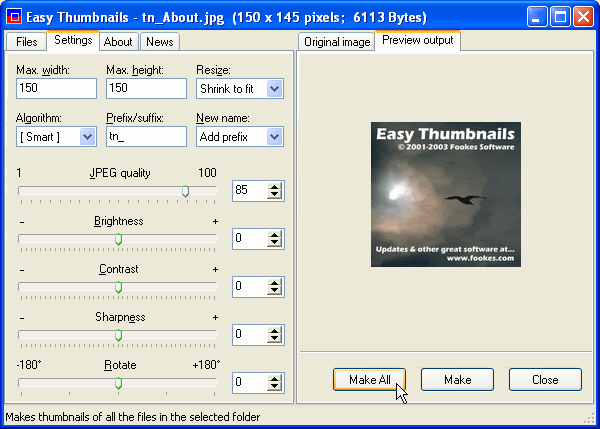
    這套軟體雖然沒有很多縮圖的額外功能,
    但是其所包含的基本功能其實就已經足夠一般的使用了,
    我個人喜歡它的簡單分頁式視窗
    還有能夠預覽縮圖的對比視窗
    能夠將其他不同格式存成常見的jpg格式也很方便,
    當然最好的、也是他的特點就是:能夠批次縮圖
    Download Here

    dannyboy 發表在 痞客邦 留言(0) 人氣()

    Photo Sharing and Video Hosting at Photobucket
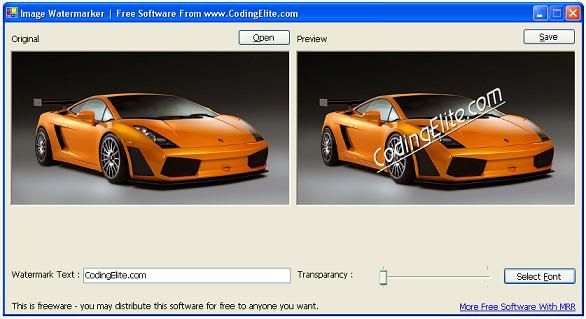
    為何推薦這款軟體呢?主要是因為:他體積真的很小,只佔6.37MB,還不需安裝。
    官方網站:http://www.codingelite.com/tools/ImageWaterMarker.htm

    dannyboy 發表在 痞客邦 留言(0) 人氣()

    Photo Sharing and Video Hosting at Photobucket

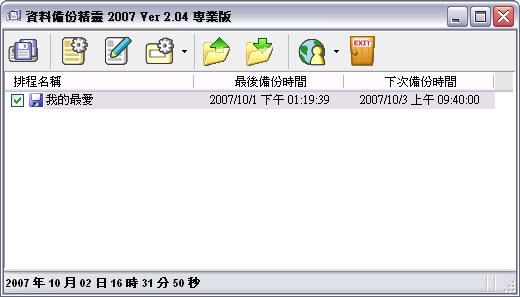
    資料備份精靈程式說明:
      資料備份精靈是一套全中文介面的檔案備份工具,完全免費讓大家使用,非常適用在個人工作室以及公司行號的電腦資料備份,軟體可以設定備份的時間,時間一到自動備份您的資料,並且可以指定您所要備份的類型,您不至於備份到您不想備份的檔案,相當的方便,無限的備份清單,不管硬碟上有多少檔案,都可以完整的備份,以及區域網路端備份... 等等,簡單的使用者介面,輕鬆上手,備份不求人,不管是我的最愛‧以重要的 Outlook Express 郵件等等,都可以備份起來。
    雖然資料備份精靈在功能上比不上收費軟體,但是在使用上絕對符合一般使用者的需求。
    資料備份精靈提供的相關功能如下:
    0) 全新的備份核心,除了強化備份速度之外,正在使用的檔案也可以備份(壓縮備份除外)。

    dannyboy 發表在 痞客邦 留言(0) 人氣()

    Photo Sharing and Video Hosting at Photobucket

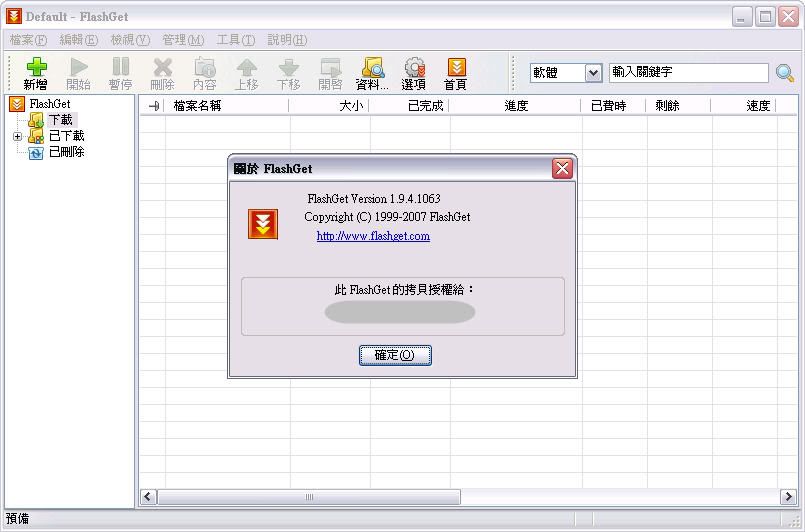
    FlashGet 算是老字號的下載工具了,所有下載工具 / 續傳軟體都都聲稱自己的下載速度能提昇好幾倍,但其實只要你不是使用內建的IE下載器,隨便一個免費、輕巧又用得上手的的續傳軟體其實都差不多,差的頂多就是他附帶的其他功能,像 FlashGet 則是多了 BT 和 eMule 這些 P2P 的下載功能。
    官網:http://www.amazesoft.com/index_tw.htm

    dannyboy 發表在 痞客邦 留言(0) 人氣()


    這軟體真的只有68.56K唷
    操作介面十分容易、任何人都用的上手的啦
    以下附上官方教學圖:

    dannyboy 發表在 痞客邦 留言(0) 人氣()

    Photo Sharing and Video Hosting at Photobucket
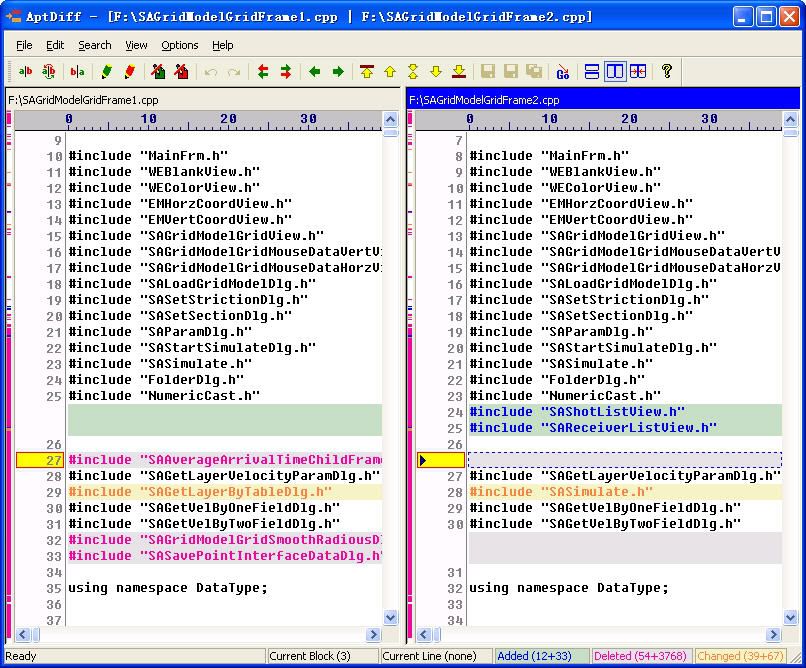
    AptDiff - Visual File Comparison and Merging Utility
    AptDiff is a visual text/binary files comparison and merging utility for Windows 2000/XP/2003/Vista. It is highly useful for software developers, web designers and other professionals.
    AptDiff features a double-pane view that allows for side-by-side comparisons, with customizable color-coding indicating whether each line/byte is added, deleted, or changed.
    本文引自:http://www.aptedit.com/aptdiff.htm

    dannyboy 發表在 痞客邦 留言(0) 人氣()

    Blog Stats
    ⚠️

    成人內容提醒

    本部落格內容僅限年滿十八歲者瀏覽。
    若您未滿十八歲,請立即離開。

    已滿十八歲者,亦請勿將內容提供給未成年人士。